Offline Background Remover AI – Remove Image Backgrounds Without Internet
Process unlimited images privately on your computer using AI. Try it free for 7 days, then keep using it for just 1.99 USD per month.*
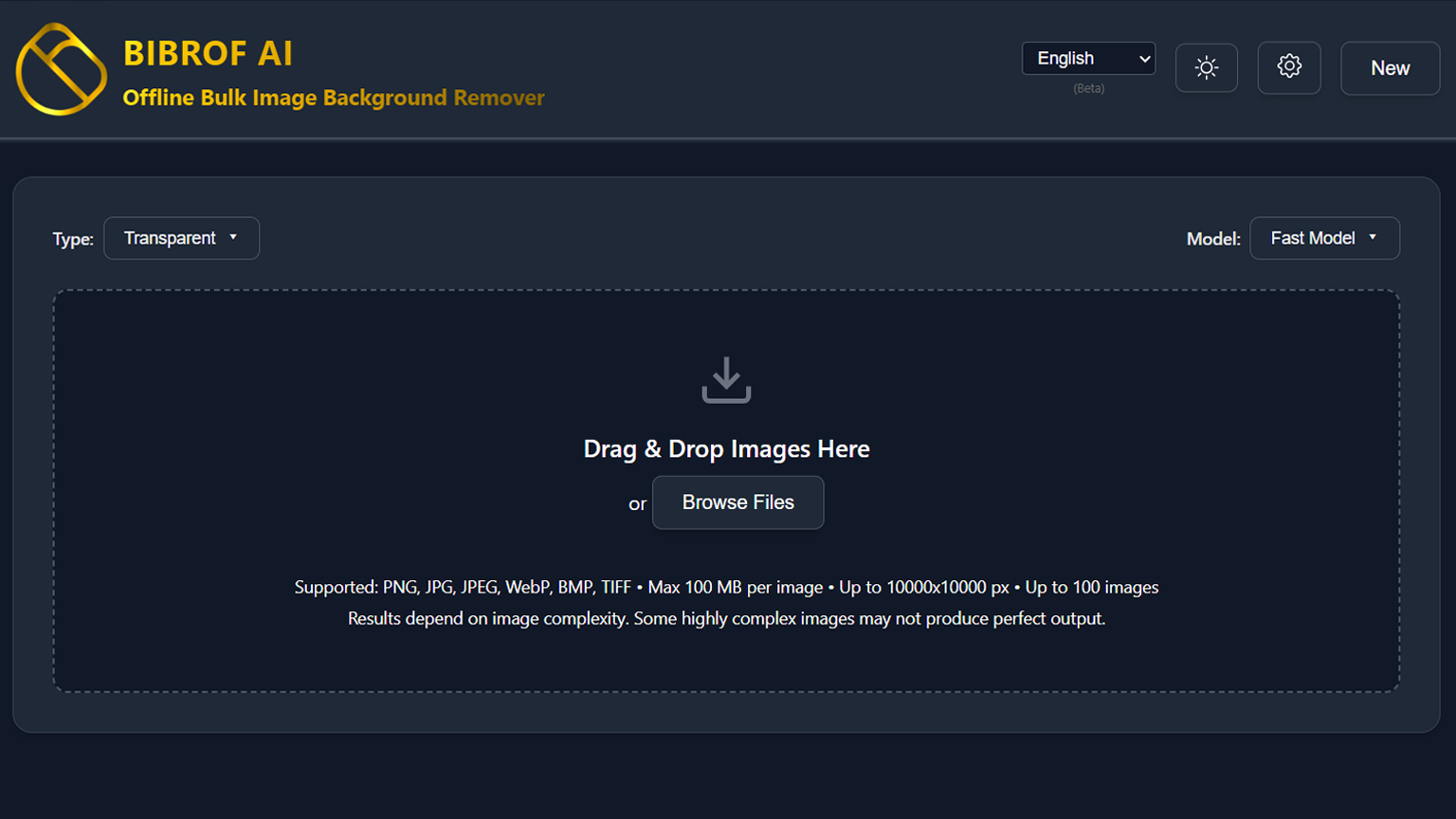
Available in 29 Languages for Global Users
Arabic
Bengali
Chinese
Czech
Dutch
English
French
German
Greek
Hindi
Indonesian
Italian
Japanese
Kannada
Korean
Malayalam
Malay
Marathi
Polish
Portuguese
Russian
Spanish
Swedish
Tamil
Telugu
Thai
Turkish
Urdu
Vietnamese
Features
Do More than Background Removal with Advanced AI
The Only BG Remover You’ll Ever Need
AI That Works Under Your Control
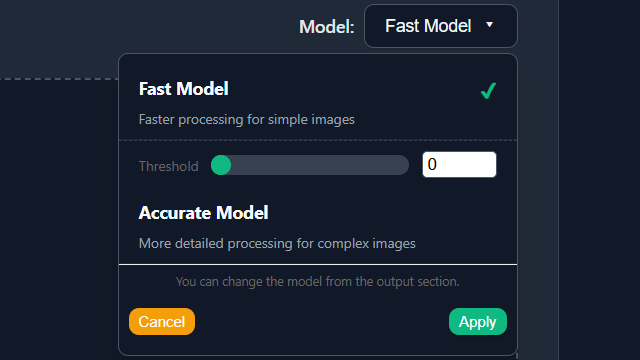
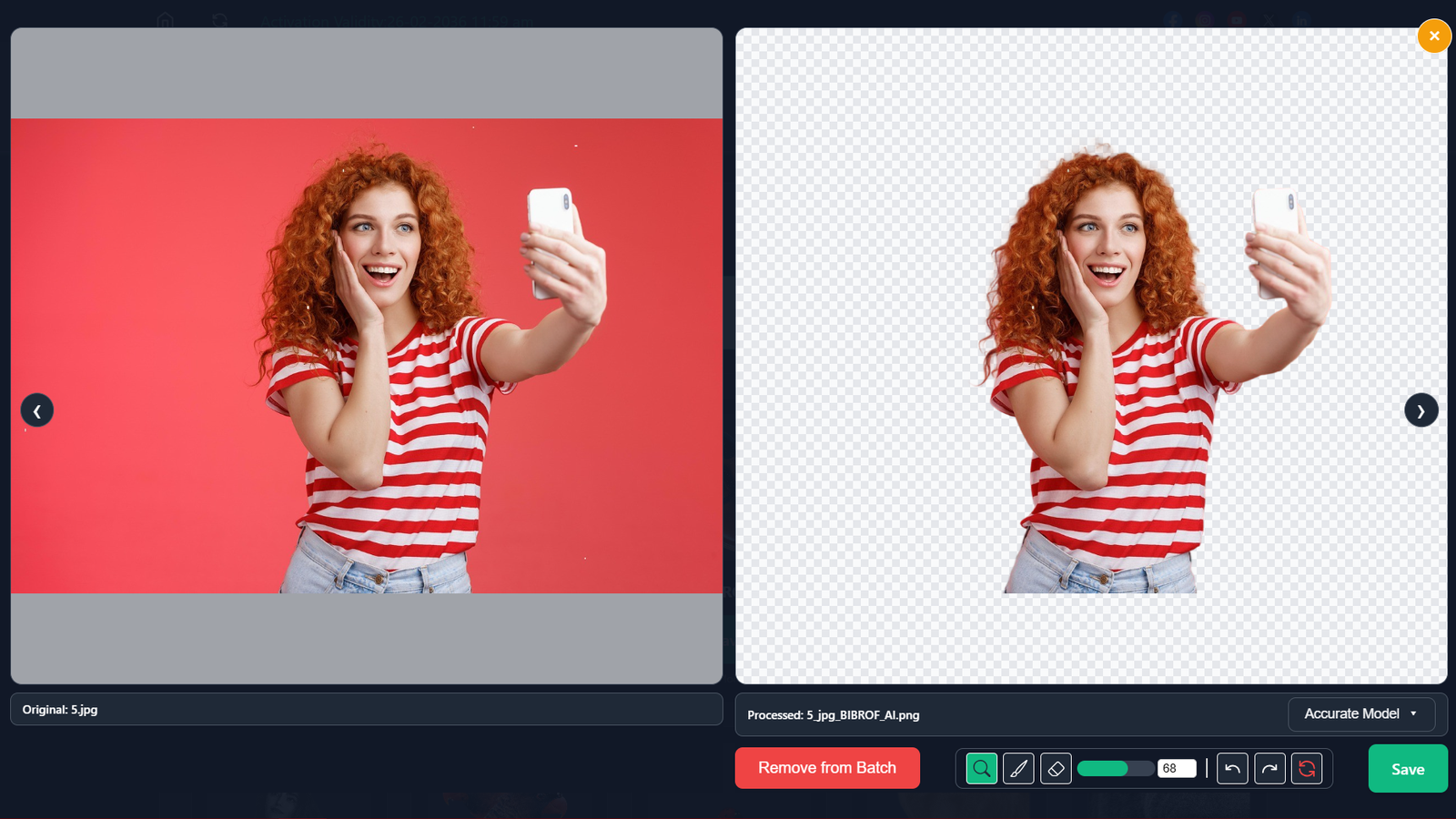
Choose exactly how your AI behaves instead of relying on fixed, black‑box presets. Select the Fast Model for rapid execution on standard images, or deploy the Accurate Model for complex edge detection on intricate subjects. Adjust the AI sensitivity threshold manually to define precise boundaries, ensuring optimal extraction for both the foreground subject and the background environment.
Unlimited Processing, No Hidden Fees
Stop worrying about credits, file limits, and surprise overage charges. BIBROF AI runs on your PC and lets you process as many images as you need, as often as you need, with a simple subscription instead of per‑image pricing. Whether you are isolating a single foreground subject or processing massive datasets in bulk, the operational cost remains strictly zero after your initial software access.
Always High‑Quality Outputs, No Paywall Traps
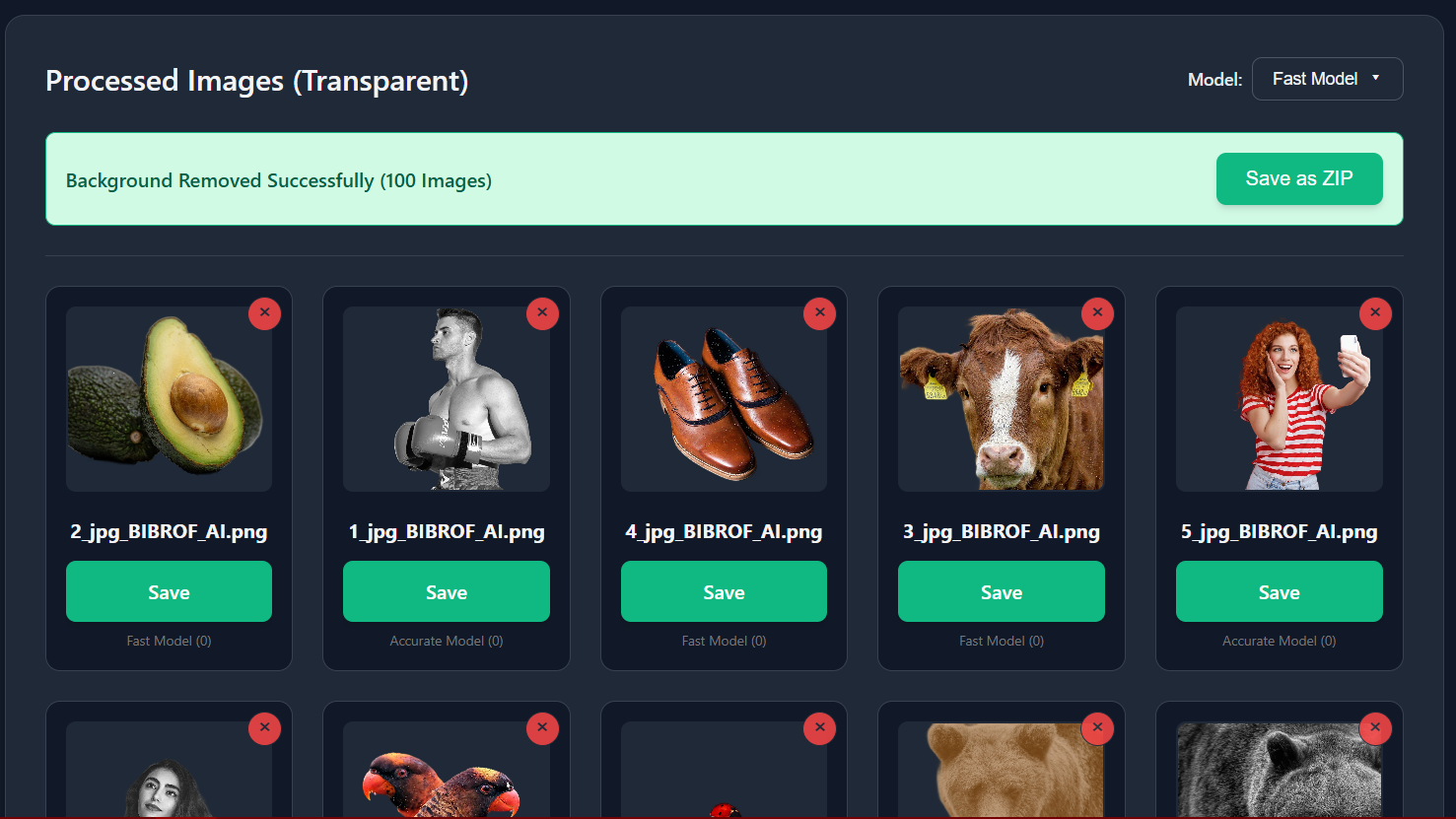
Stop paying extra just to download full‑quality versions of images you already own. Export your processed images at their maximum original resolution every time. Unlike cloud-based tools that compress files or artificially downgrade resolution behind premium paywalls, BIBROF AI guarantees that the exact pixel dimensions and quality details of your original foregrounds and backgrounds are strictly preserved in the final output by default.
Lens, Brush, and Eraser for Pixel‑Perfect Edits
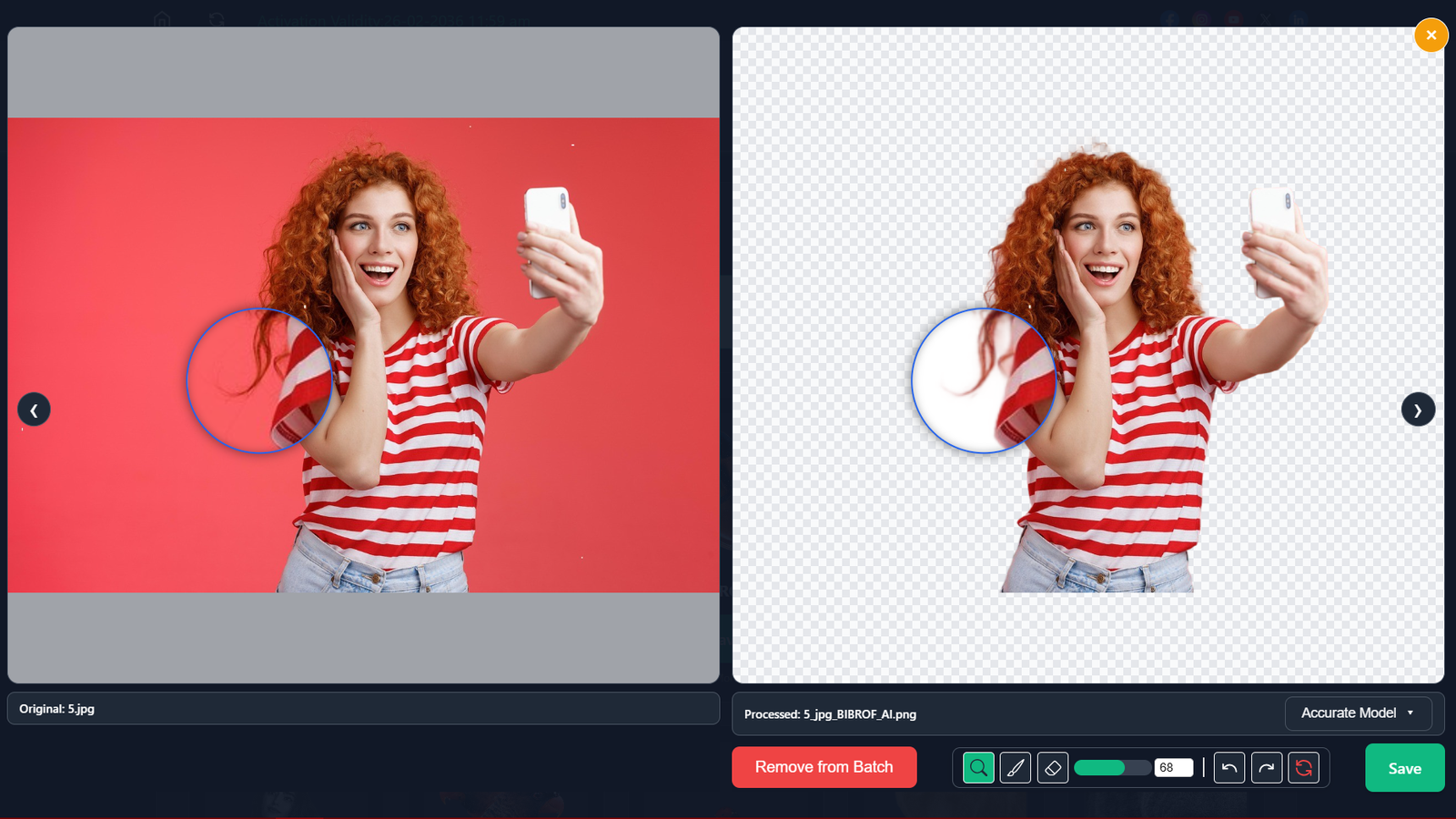
Go beyond one‑click removal with integrated tools designed for precise touchups. The lens tool lets you zoom into any area to inspect edges and fine details, making it easy to spot halos or missed regions that other tools overlook. Refine automated results instantly with an integrated suite of context-aware editing tools. With brush and eraser, you can restore or remove specific pixels. These powerful local editing features turn BIBROF AI into a complete AI-powered image editor.
More than Background Remover, Multiple Output Styles
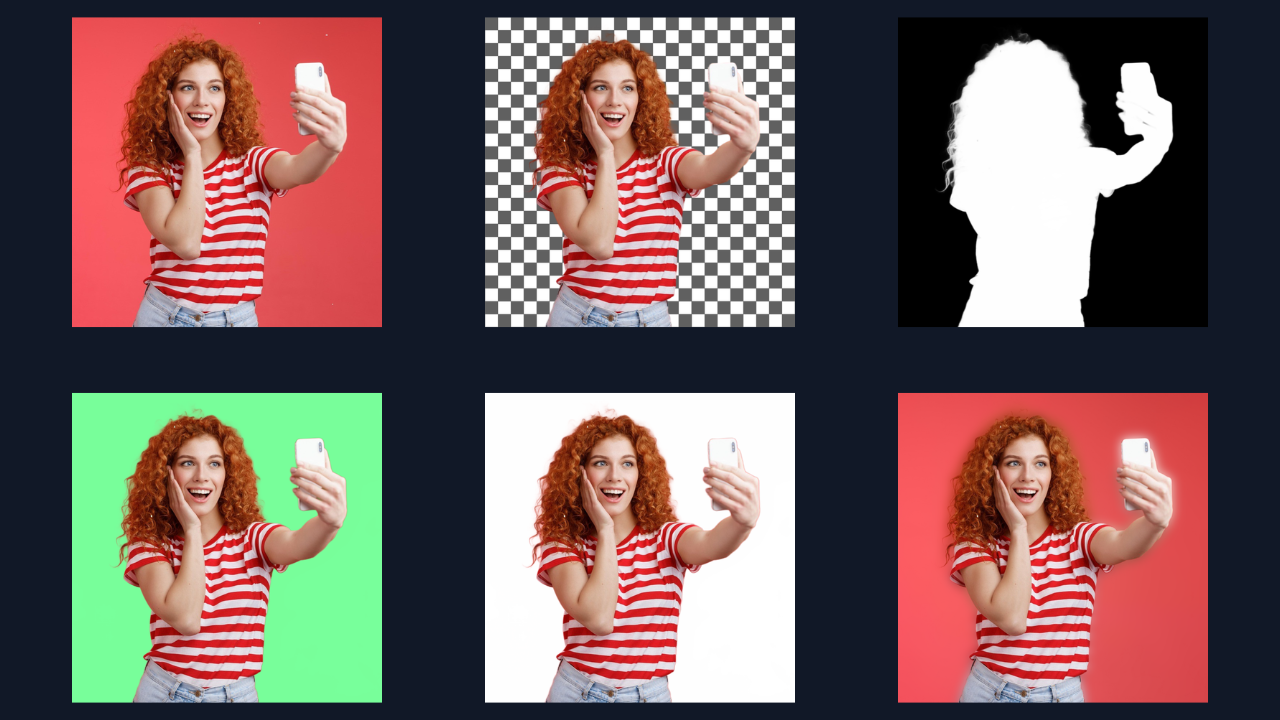
BIBROF AI is not limited to a single cutout style, The software extends far beyond standard transparency, offering multiple rendering configurations. Available output styles include:
- Transparent – Keeps the main subject and removes surrounding areas.
- Mask – Creates a high-contrast black and white segmentation mask.
- Green Screen – Replaces removed area with chroma-key green.
- White – Replaces removed area with pure white.
- Blur – Keep the subject sharp while softly blurring the rest of the scene.
Innovative Reverse Subject Processing
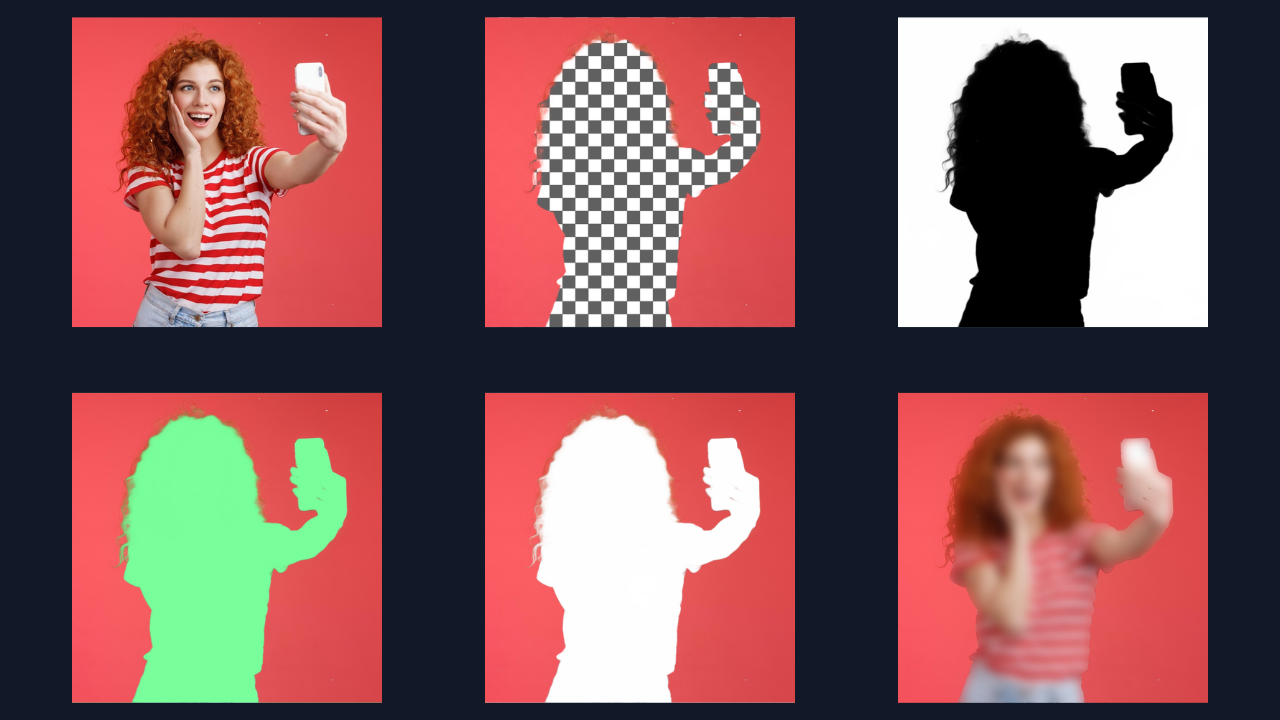
Instantly invert the artificial intelligence selection matrix with a single click. Instead of removing the background, use the Reverse Processing function to accurately target and delete the primary foreground subject while keeping the background environment completely intact. This unique inversion logic is fully compatible with all AI models and all five output styles.
Got Questions? We’ve Got Answers.
What image formats does BIBROF AI support?
BIBROF AI processes PNG, JPG, JPEG, WebP, BMP, and TIFF files. You can import any of these file types for local processing and export your results in PNG, JPG, or WebP.
Are there any limits on image size or usage?
BIBROF AI can process images up to 10,000 × 10,000 pixels with a maximum file size of 100 MB per image.
Since the software runs locally on your computer, there are no credit systems, usage quotas, or daily processing limits. You can process as many images as your hardware allows.
Can I use BIBROF AI for free?
Yes, you get a 7‑day free trial with full access to all features, including dual AI models, editing tools, multiple output styles, and bulk processing. No credit card required to start.
Are the processed images cleared for commercial use?
Yes. Because the software operates entirely offline on your local machine, your files are never transmitted to a server, and we claim zero rights to your generated outputs. As long as you own the commercial rights to the original source image, you retain full commercial rights to the edited result.
Is BIBROF AI 100% accurate?
No AI tool achieves perfect results on every image due to factors like lighting, edges, and complexity, but BIBROF AI’s dual models and manual editing tools (lens, brush, eraser) get you closer than most. We release regular updates to improve accuracy across backgrounds, foregrounds, and reverse processing.
Is BIBROF AI safe to install?
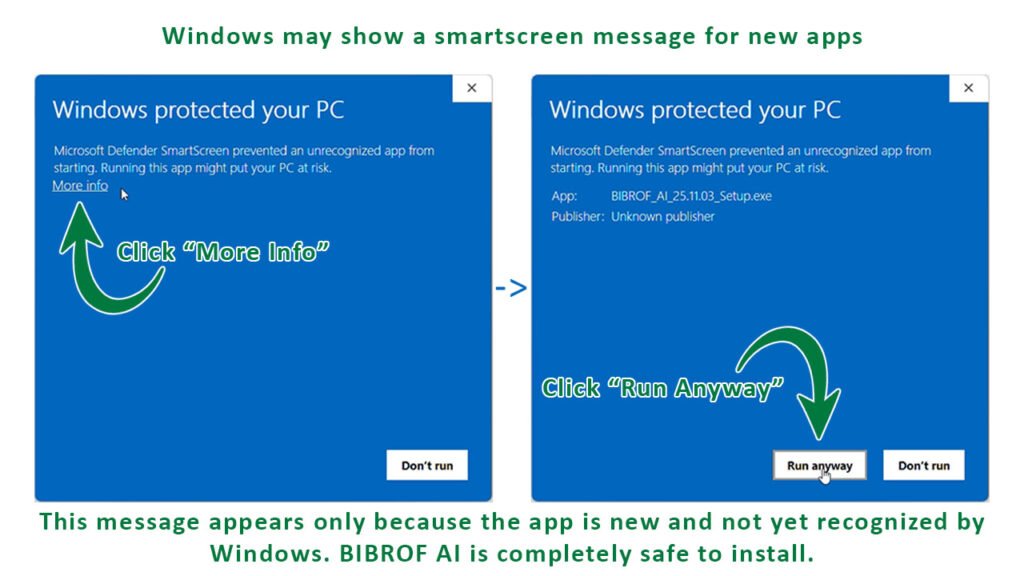
Yes, BIBROF AI is a legitimate Windows desktop app developed by Lislip. Windows SmartScreen may show a brief warning for unsigned executables, but you can safely click “More info” → “Run anyway.” All processing stays local on your machine.
Minimum System Requirements
OS
Windows 10/11
Compatible with Windows 10 and Windows 11
Ram
4 GB
Requires 4 GB RAM or higher
Storage
2 GB
2 GB of storage needed for installation (additional space required for processed files)
Pricing
Experience our product with a risk-free trial, then purchase your license when you’re ready.
Trial
$0
Try every feature of BIBROF AI for 7 days and see how it fits.
Pro
$99.5/Year
$23.88/year
Pay once a year for unlimited images without any hidden charge and ongoing updates.
Windows Smartscreen Notice
Windows may show a SmartScreen message for new apps. This happens because the software is unsigned, not because it’s unsafe. Don’t miss out — join the first group of users trying our app safely.